

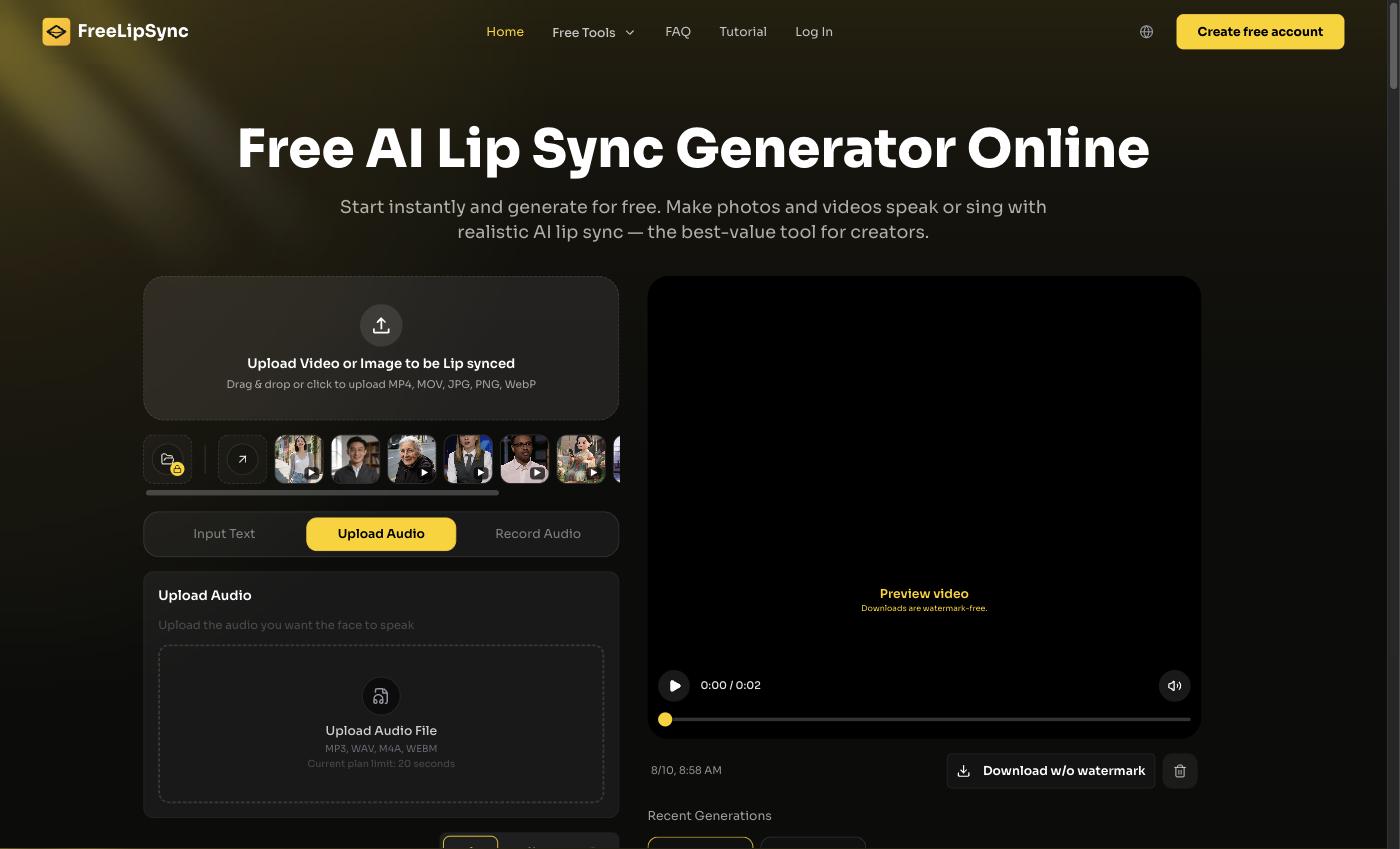
 The FreeLipSync home screen — my entire "welcome video studio" is this one browser tab.
I run an axe-throwing venue. If that sounds niche, it isn't anymore — the whole category has been quietly booming, and analysts peg the global market somewhere north of half a billion dollars in 2026. My lanes are packed on weekends with birthday groups, corporate teams, and first dates who saw a reel and thought "that looks fun."
Here's my actual problem: a huge share of my walk-ins are tourists and new arrivals, and about half of them don't have English as a first language. The safety orientation is the one thing I can't skip, and it's the one thing that gets lost when someone's nodding along without really following. So I made a friendly welcome video where my own face greets people in their language — using the free AI talking photo generator at FreeLipSync. One photo of me, a short script, done. Make your own talking photo here.
Quick Verdict
If you run a walk-in venue with a mixed-language crowd, don't script a whole film. Take one good photo of yourself (or your manager), write a 20-second welcome, and turn it into a talking video with FreeLipSync's AI talking photo generator. It's free, no watermark, no sign-up. Loop it on a screen by the door in a few languages and the vibe shifts instantly — people feel greeted instead of processed.
One honest boundary first: this video welcomes people and tells them what's coming. It does not replace the real safety briefing. My staff still demo the grip, the stance, and the lane rules in person, every single time, and the exact rules and liability waiver live on my official booking page — not in the mouth of a talking photo.
Why a talking photo beats a printed sign
I tried the sign. A laminated "WELCOME — please wait for your coach" in four languages, taped by the shoe cubbies. Nobody reads it. People walk in mid-conversation, adrenaline already up, and a wall of text is the last thing they parse.
A face is different. When someone's own photo looks at you and says "hey, welcome in, here's how tonight works" in your language, you actually stop and listen. That's the whole trick. It's warmer than signage and cheaper than hiring multilingual front-desk staff for a Friday rush.
| The old way | Why it flopped | The talking-photo version |
|---|---|---|
| Laminated multilingual sign | Nobody reads it walking in | A friendly face that greets them by voice |
| Staff repeating the same intro 40x | Exhausting, inconsistent by 9pm | One clean welcome, same every time |
| English-only hype reel | Half the room tunes out | The same 20 seconds in their language |
How I actually made mine
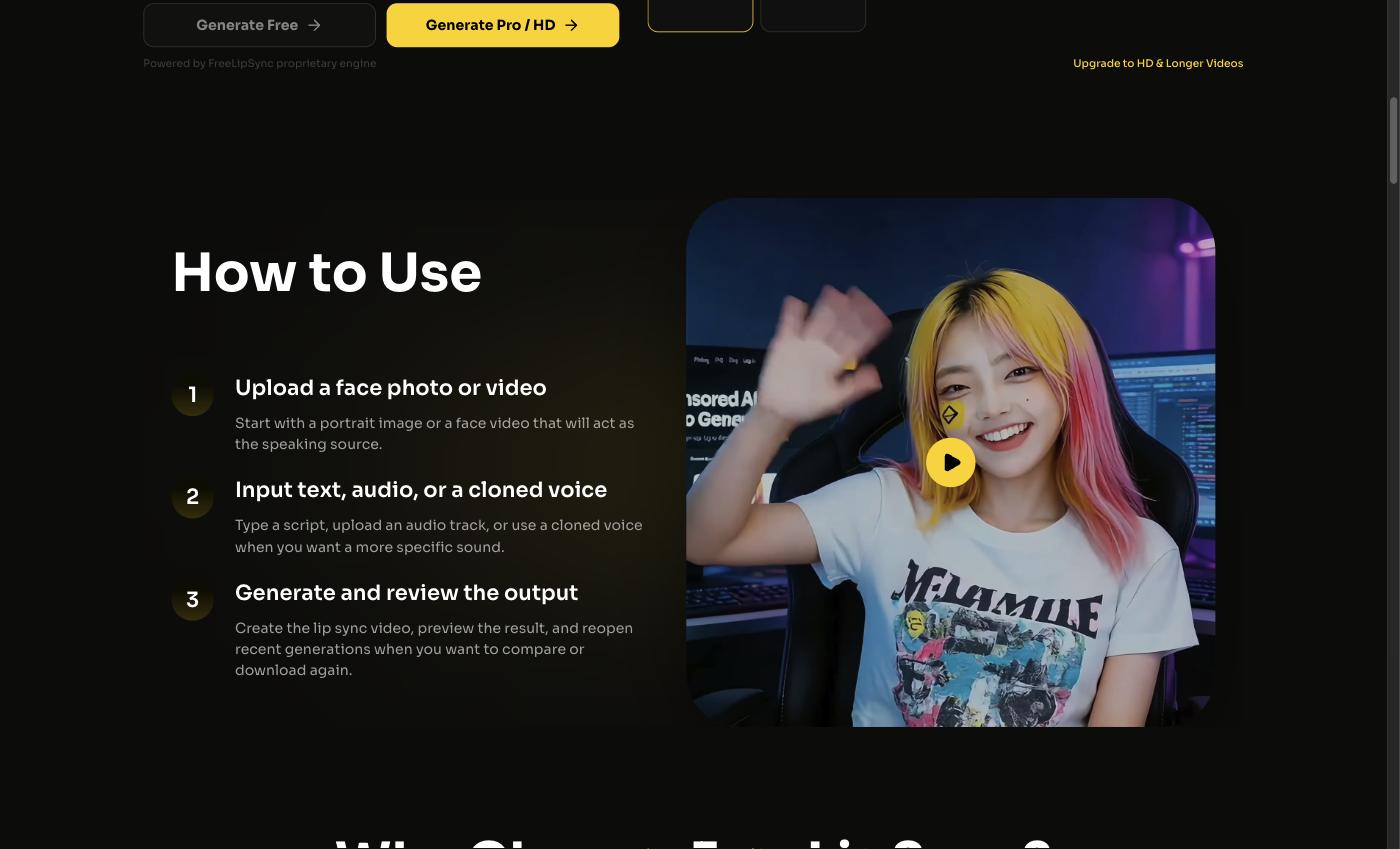 Upload the photo, add the voice or type the line, generate. That's the whole thing.
I took a decent phone photo of myself in front of the target wall — good light, looking at the camera. Then I wrote a short script: welcome, what to expect, "your coach will show you everything, no experience needed, have fun." I dropped the photo in, typed the line (or recorded my voice), and let the tool move the mouth. Two minutes later I had a talking clip.
I keep it to about 20 seconds. Any longer and people wander off toward the lanes. Short and warm beats long and thorough for a doorway greeting — the thorough part is the coach's job.
What the free tier actually gives you
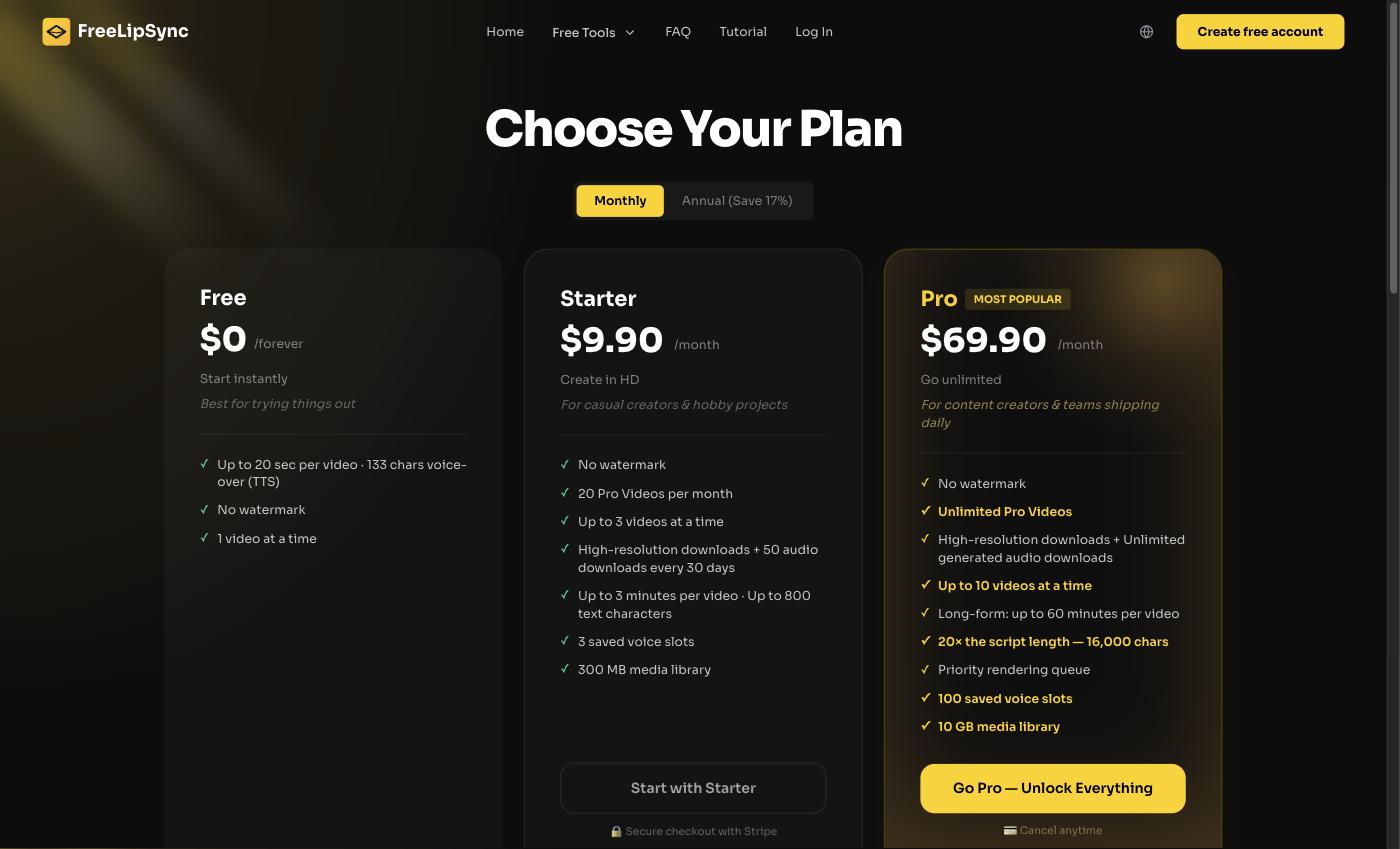 FreeLipSync's pricing — my welcome clips all came off the free plan (the $0 column).
I built every one of these on the free plan. It's $0 forever, no sign-up, and no watermark — which matters, because a watermark slapped across your own face at your own front door looks cheap. The specifics: up to 20 seconds per clip, 133 characters of text-to-speech per generation, and you render one at a time. For a doorway welcome, 20 seconds is honestly all you want.
When I'd pay (and when I wouldn't)
If you wanted longer explainer videos — a full "how a session works" walkthrough for your website — the Starter plan ($9.90/month) gives you 20 Pro videos a month, up to 3 minutes and 800 characters each, HD downloads, 50 audio downloads per 30 days, 3 saved voices, and 3 renders at once. There's a Pro plan ($69.90/month) with unlimited longer videos and a priority queue that's overkill unless you're a chain. The Creator Pack is $4.99 one-time — 5 Pro videos, credits that never expire, commercial use — a cheap way to batch a few longer pieces without subscribing. Annual billing saves about 17%. My door greeter stays free.
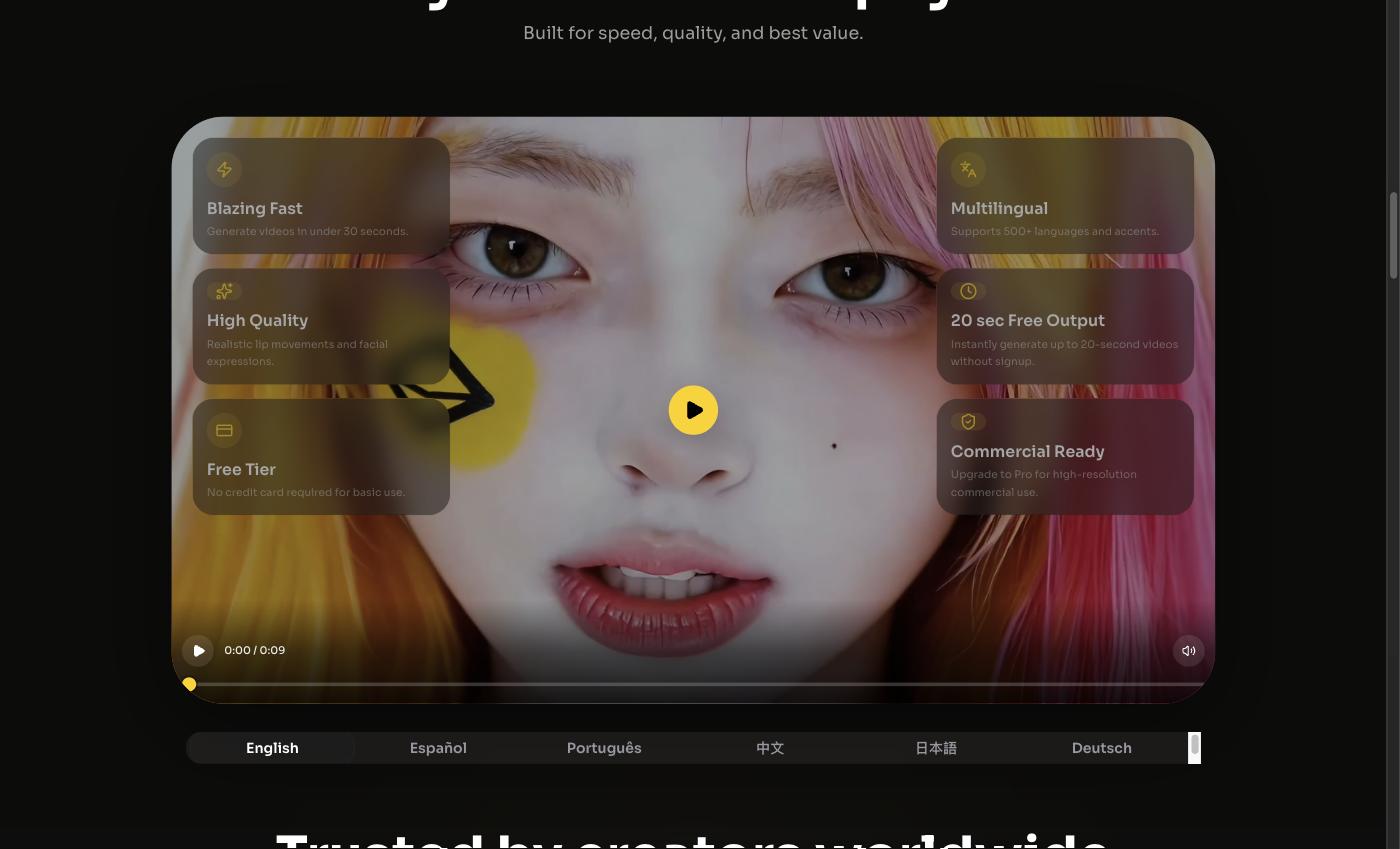 Same face, same welcome, re-voiced — how one greeting becomes a whole rack of languages.
Going multilingual without re-filming
This is the part that actually moved the needle. My face and my script don't change — only the language does. So I generated the same welcome in the five languages I hear most on a weekend, and now the door screen cycles through them. FreeLipSync supports 500+ languages and accents, so if a big group books from somewhere new, I add that version in a few minutes.
A quick honesty note on this: I get a native speaker to check each script before it goes live. Machine translation is close but "close" is how you end up accidentally telling people to do the wrong thing at an axe wall. A two-minute human read-through is non-negotiable, and I keep an "AI-generated" note on the screen because it's the right thing to do.
Honest look at the alternatives
I looked at other routes. Hiring bilingual door staff for peak hours is the gold standard and also the most expensive — and they can't cover every language that walks in. Full video avatar apps make a generic "presenter," but it's not me, and a stranger's face greeting people at my venue feels off. Filming myself saying the same thing in five languages I don't speak? Not happening. A talking photo of my real face, re-voiced per language, was the only option that was both personal and free.
Who should set this up
Any walk-in venue with a mixed crowd and a briefing that matters: trampoline parks, climbing gyms, go-kart tracks, escape rooms, axe throwing. If you find yourself or your staff repeating the same "here's how tonight works" a hundred times a weekend — and losing the non-English speakers halfway through — a looping talking-photo welcome is a cheap, warm fix. It won't run your safety demo. It'll make sure everyone at least feels welcomed and knows what's next.
Final Thoughts
The shift wasn't technical. It was realizing I only needed one photo of my own face to greet everyone who walks in, in their language, for free — while my coaches handle the real hands-on part. If you've been meaning to make your front door feel less like a queue and more like a welcome, take the photo and make your talking welcome with FreeLipSync. Then go watch a first-timer stick their first bullseye.
Sources
- FreeLipSync AI talking photo generator — https://freelipsync.com/tools/ai-talking-photo-generator
- FreeLipSync blog & pricing details — https://freelipsync.com/blog
- Axe throwing industry statistics & trends (Peek Pro) — https://www.peekpro.com/blog/axe-throwing-industry-statistics
- Key trends shaping out-of-home leisure at EAG Expo 2026 (Blooloop) — https://blooloop.com/eag-expo-2026-key-trends/