Free Tools

AI Cartoon & Anime Lip Sync Generator

Upload a cartoon or anime character image, then use text or voice audio to generate accurate character lip sync.

  • Free
  • No sign-up
  • No watermark

What this tool does

Upload a cartoon or anime character image, then use text or voice audio to generate accurate character lip sync. It accepts both typed text with a preset or authorized cloned voice and uploaded or browser-recorded audio. The result is a watermark-free lip-sync video; Free accepts 133 text code points or 20 seconds of audio.

Select model:

Fast, especially for video input. Best for normal speaking videos.Slower, but with richer facial expressions and gestures.

Upload Audio

Upload audio or record with microphone.

Select model:

Fast, especially for video input. Best for normal speaking videos.Slower, but with richer facial expressions and gestures.
Please upload an image or select an image sample.
Powered by FreeLipSync proprietary engine
AI Cartoon & Anime Lip Sync Generator

Tutorials

More

Source Materials

Source image

Generation

How to Make a Cartoon Character Talk and Sing with AI: Unedited result generated from the displayed inputs 1

Play both results. The first shows normal speech; the second shows the same drawing following melody and sustained syllables. Neither clip is a complete tutorial video—the value here is seeing unedited product evidence.

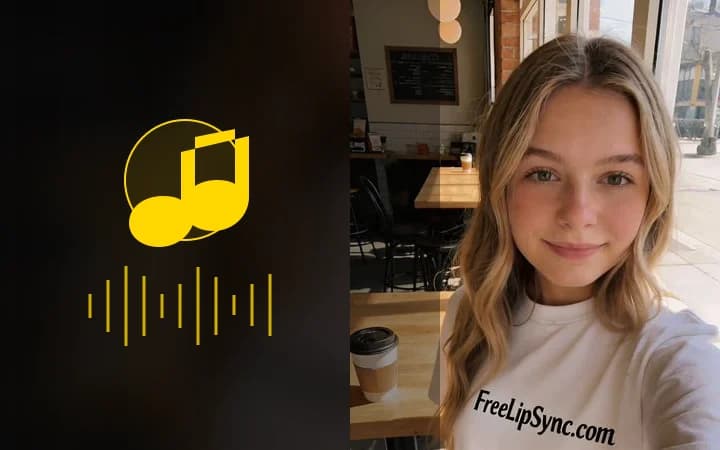
How to Make a Cartoon Character Talk and Sing with AI: Unedited result generated from the displayed inputs 2

Play both results. The first shows normal speech; the second shows the same drawing following melody and sustained syllables. Neither clip is a complete tutorial video—the value here is seeing unedited product evidence.

Works on drawn faces

Anime characters, cartoons, mascots, and stylized art sync as long as the face reads clearly.

Dub scenes without animating

Drive the mouth with typed dialogue or recorded narration instead of keyframing frame by frame.

For creators and fandoms

Voice-over comics, OC content, VTuber-style clips, and fan dubs from a single image.

How to lip sync a cartoon character

  1. 1

    Upload the character image

    Add a JPG, PNG, or WebP of your cartoon, anime, or mascot character with one clearly readable face — eyes and mouth visible.

  2. 2

    Choose text or audio

    Type dialogue and choose a character voice, or upload or record finished audio. Free text supports 133 characters and free audio supports 20 seconds; paid plans raise both limits.

  3. 3

    Generate

    The engine turns text into speech when needed, then animates the drawn mouth phoneme by phoneme while keeping the art style intact.

  4. 4

    Preview and download

    Check the sync in the browser and download a watermark-free clip after signing in.

What people make with it

Voice-over character scenes

Give OCs, webcomic panels, and story characters spoken dialogue without keyframe animation.

Anime fan dubs

Sync fan-recorded lines or translated dialogue to character stills for parody and fandub formats.

VTuber-style clips

Make an avatar deliver announcements, shorts, and stream intros from a single illustration.

Mascot explainers

Let a brand mascot present product updates and onboarding steps in its own voice.

Inputs that produce better results

Start with a readable face

Use one original or licensed character with a clear front-facing mouth, visible eyes, and strong separation between the face and background.

Use clean speech

Reduce music, echo, clipping, and long ambiguous silence. Match the delivery to the intended expression.

Test a short line first

A controlled phrase makes timing, mouth closure, and source problems easier to diagnose before a longer render.

Limits and unsupported cases

  • The workflow targets one visible character; abstract mouths, profiles, crowd scenes, and rapid cuts are less reliable.
  • The generator changes visible speech. It does not automatically translate, fact-check, caption, or edit the surrounding scene.
  • A generated result still needs human review before publication, especially when identity, language, or sensitive context matters.

Rights, consent, and disclosure

  • Use original or licensed characters and audio. Do not imply endorsement by a creator, studio, or rights holder.
  • Only upload faces, voices, music, and scripts you own or have permission to use.
  • Clearly label synthetic or altered media when viewers could otherwise believe it is authentic.

Pricing is per result, not per minute

Free generation deducts no Pro Video and outputs are watermark-free, subject to the free sign-in and resolution rules. Starter uses one Pro Video for one high-resolution result instead of charging credits for every second or minute. An active Pro subscription includes unlimited Pro Video generation entitlement.

The 2026 AI video pricing report calculates about $0.25 per effective Starter output minute when all 20 included results average one minute. This is comparison math, not FreeLipSync's billing unit.

2026 AI Video Pricing Report

Cartoon lip sync FAQ

More free AI lip sync tools

Every FreeLipSync tool runs on the same engine — pick the workflow that matches your input.

Compare Free, Starter, and Pro plans