Free Tools

Make Old Photos Talk

Bring an old family photo to life — type a message or add a recording, and the portrait speaks with gentle lip sync.

  • Free
  • No sign-up
  • No watermark

What this tool does

Bring an old family photo to life — type a message or add a recording, and the portrait speaks with gentle lip sync. It accepts both typed text with a preset or authorized cloned voice and uploaded or browser-recorded audio. The result is a watermark-free lip-sync video; Free accepts 133 text code points or 20 seconds of audio.

Select model:

Fast, especially for video input. Best for normal speaking videos.Slower, but with richer facial expressions and gestures.

Select model:

Fast, especially for video input. Best for normal speaking videos.Slower, but with richer facial expressions and gestures.
Please upload an image or select an image sample.
Powered by FreeLipSync proprietary engine
Make Old Photos Talk

Tutorials

More

Source Materials

Source image

Generation

How to Make an Old Family Photo Talk with AI: Unedited result generated from the displayed inputs

The raw clip shows what a short, gentle line looks like on an aged monochrome portrait. Old-photo texture remains visible, while the face has enough contrast for the mouth movement to read.

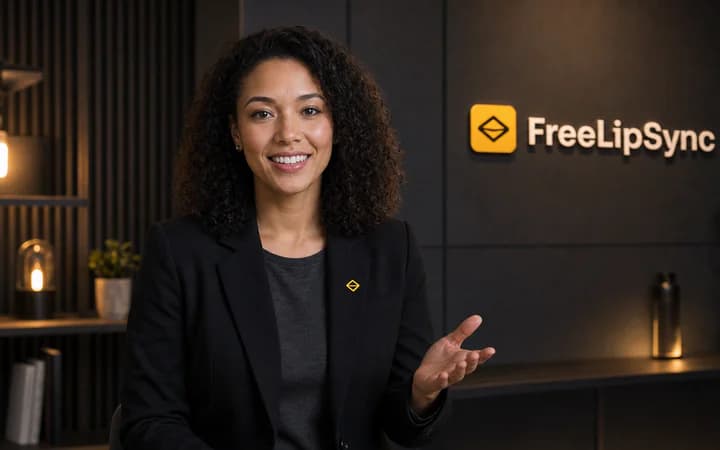
Old portraits, new life

Scanned family photos, vintage portraits, and restored images can speak clearly again.

Speak it in a familiar voice

Type a message with a preset or cloned voice, or directly use a recording you have.

A keepsake, not a gimmick

Made for memorials, anniversaries, and family archives that deserve care.

How to make an old photo talk

  1. 1

    Upload the old photo

    Add a JPG, PNG, or WebP scan with one clearly visible face. Light restoration or upscaling beforehand helps very faded prints.

  2. 2

    Choose text or audio

    Type a greeting or story and choose or clone a voice, or switch to Audio to upload or record the finished message. Free text supports 133 characters and free audio supports 20 seconds.

  3. 3

    Use the right voice

    For text, choose a warm preset or clone a voice from an old recording. For audio, use a clean voicemail, home-video extract, or newly recorded family message.

  4. 4

    Generate gently

    The engine animates the mouth with natural, restrained motion and renders a watermark-free clip you can keep and share with family.

What people make with it

Family archive projects

Let grandparents and great-grandparents narrate names, dates, and stories over their own portraits.

Memorial tributes

A short message in a loved one's restored portrait for anniversaries and remembrance gatherings — handled with care.

Anniversary and reunion surprises

Bring the wedding photo or the childhood portrait back to life for a milestone celebration.

Local and family history

Make historical figures and town archive photos introduce themselves for museums, classrooms, and genealogy videos.

Inputs that produce better results

Start with a readable face

Use one restored, front-facing portrait with a neutral mouth; lightly repair severe fading, scratches, or blur before generation.

Use clean speech

Reduce music, echo, clipping, and long ambiguous silence. Match the delivery to the intended expression.

Test a short line first

A controlled phrase makes timing, mouth closure, and source problems easier to diagnose before a longer render.

Limits and unsupported cases

  • Missing facial detail cannot be recovered by lip sync, and group portraits or damaged mouths can produce unstable motion.
  • The generator changes visible speech. It does not automatically translate, fact-check, caption, or edit the surrounding scene.
  • A generated result still needs human review before publication, especially when identity, language, or sensitive context matters.

Rights, consent, and disclosure

  • Obtain family consent when appropriate, disclose that the result is synthetic, and handle memorial content with restraint and respect.
  • Only upload faces, voices, music, and scripts you own or have permission to use.
  • Clearly label synthetic or altered media when viewers could otherwise believe it is authentic.

Pricing is per result, not per minute

Free generation deducts no Pro Video and outputs are watermark-free, subject to the free sign-in and resolution rules. Starter uses one Pro Video for one high-resolution result instead of charging credits for every second or minute. An active Pro subscription includes unlimited Pro Video generation entitlement.

The 2026 AI video pricing report calculates about $0.25 per effective Starter output minute when all 20 included results average one minute. This is comparison math, not FreeLipSync's billing unit.

2026 AI Video Pricing Report

Make old photos talk FAQ

More free AI lip sync tools

Every FreeLipSync tool runs on the same engine — pick the workflow that matches your input.

Compare Free, Starter, and Pro plans