
Complete video walkthrough
How to Make a Singing Photo for an Original Song — Full walkthrough
Promote an original song with a singing photo of the artist. See the portrait, the audio, the lyrics and the untouched result. The whole process on video, from the source files to the finished clip.
To make a photo sing an original song of yours, upload one artist photo and a section of the track to Make Photo Sing, then generate once. If you have released a song and no video, that is enough to get something postable. The portrait below has a microphone crossing the edge of the jaw — a realistic complication rather than a clean studio case — and the song, the generate screen and the untouched render are all here.
The song is a short original verse written for this page rather than a licensed track.
The full walkthrough
Open this video on its own page
Everything used in this demo
- The photo: a studio portrait with a microphone near the jaw — a deliberately imperfect source.
- The song: a verse from the track being promoted.
- The result: the whole render, untouched.
- The generate screen: the tool with both files in place, just before generating.
The artist photo
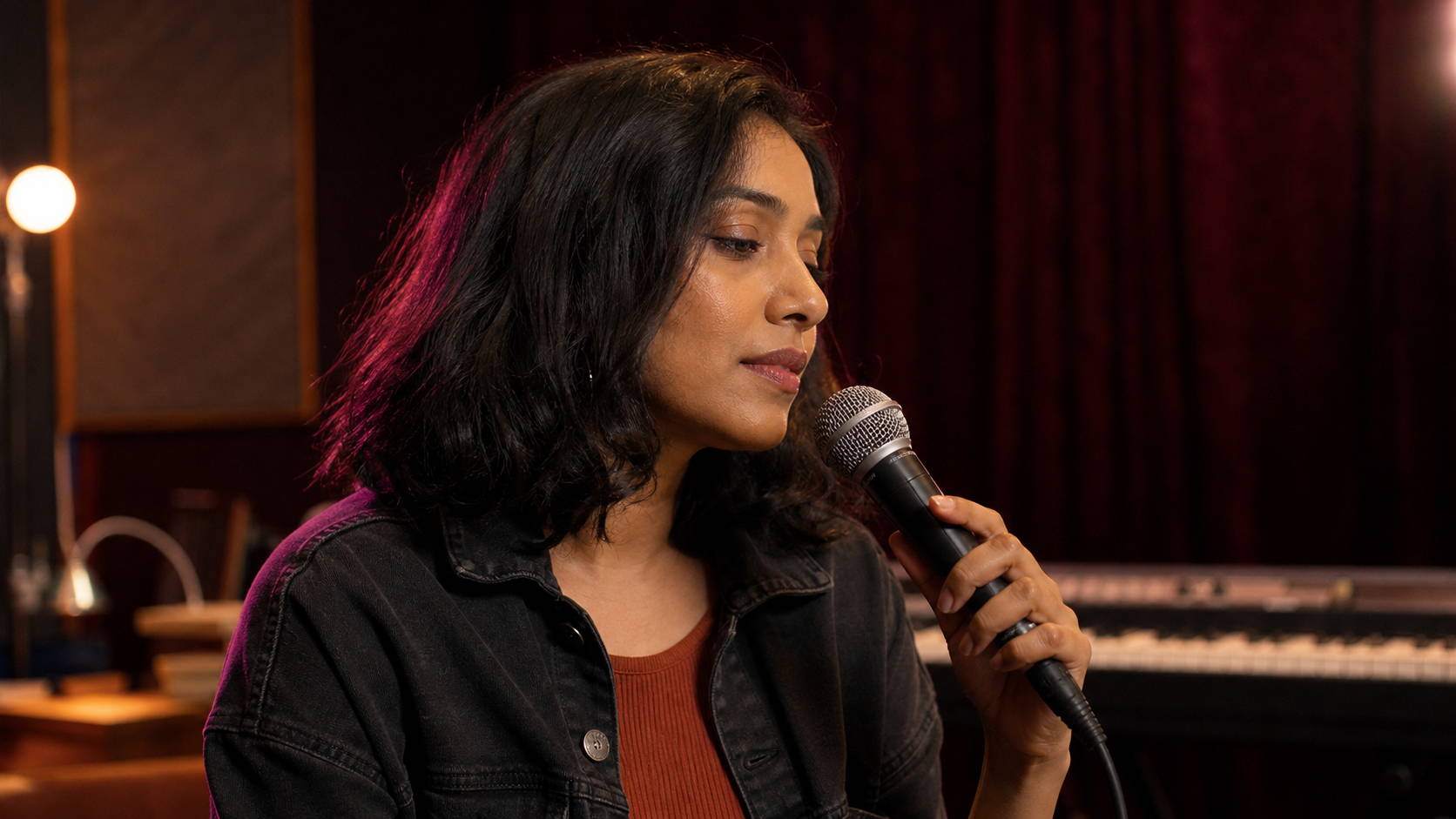
The microphone overlaps the edge of the jaw but not the centre of the lips, which is the line worth knowing: partial obstruction at the edge of the face is usually survivable, obstruction across the middle of the mouth is not.
The song and the lyrics
The song we uploaded
Use the actual release, not a re-recording. If the point is to promote the song, the audio in the clip should be the audio people will go and stream.
Lyrics
I wrote this line when the night was still
Built every note with a stubborn will
Now let the chorus carry my name
An original spark becoming a flame
The raw result
For a promo clip, check the hook lands cleanly. Nobody forgives a drifting mouth on the one line you want people to remember.
Open the result on its own page
How to make a singing photo for your own song
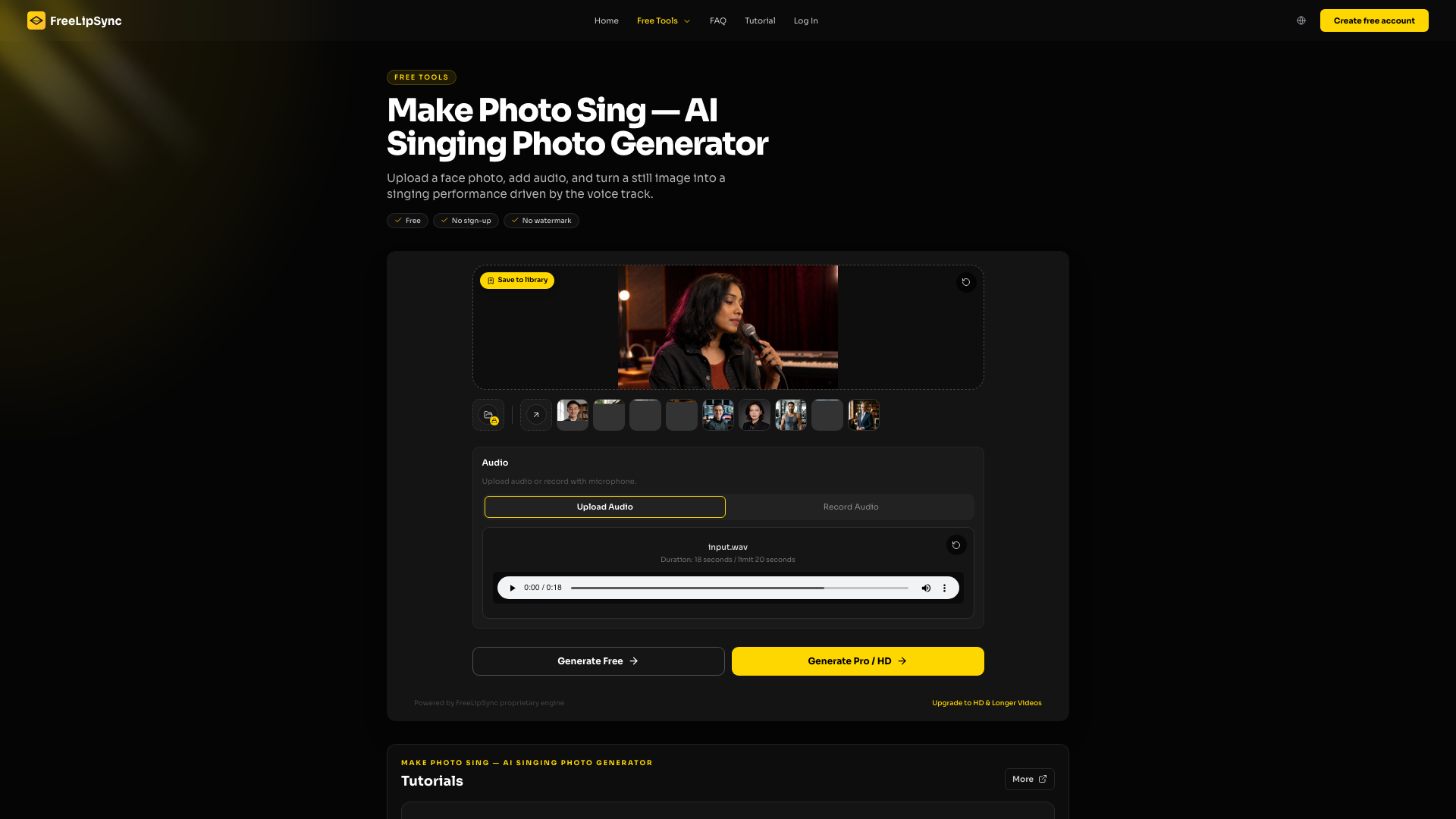
- Pick the artist photo — One photo of the artist with most of the lip line visible. A microphone at the edge of the jaw is fine; one across the lips is not.
- Open Make Photo Sing — The tool page is already set to image plus audio with the singing model, so there is nothing to configure.
- Add the hook — Cut ten to twenty seconds from your own track — the part you want people to recognise.
- Render once — Confirm the photo and the audio, generate, and keep the file before you edit it.
- Check the hook — Play it back and judge the hook line specifically. That is the part that decides whether the clip is postable.
What to check before you post it
Check the consonants on the hook specifically — that is the line people will judge. Then check the microphone edge: anything overlapping the face should stay rigid rather than bending with the jaw. A prop that warps is more obvious than slightly loose timing.
If it does not look right
- Microphone warping with the mouth? Pick a frame where it sits lower, or crop it out entirely.
- Hook not landing? Trim to the hook alone and render that section by itself.
- Vocal buried under the mix? Render from a vocal-forward version, then swap the full mix back in when you edit.
What it costs
Testing is free: a 20-second generation uses no Pro Video, and a free sign-in unlocks a watermark-free download at reduced resolution. Beyond that you are charged per finished result rather than per second — one original-resolution video uses one Pro Video. Starter includes 20 Pro Videos every 30 days, an active Pro subscription is unlimited, and the one-off Creator Pack adds 5 Pro Videos that never expire.
See the plans and what each one costs
Questions people ask
Which part of my song should I use?
The hook. It is the part you want people to recognise, and a ten- to twenty-second section renders fast enough to iterate on.
Can I hold a microphone in the photo?
Yes, as long as it does not cross the centre of your lips. The example here has one overlapping the jaw edge and it holds up.
Should the audio be the released mix or a vocal stem?
Render from a vocal-forward version if you have one, then drop the full mix back in when you edit the final clip.
Does this count as an official music video?
It is a promo asset, not a video. It suits short vertical posts and pre-save campaigns.
Do I need to say it was made with AI?
Say so if viewers might think you filmed it. Disclosure costs nothing and avoids the argument later.
Make one for your own release
Upload your own artist photo to Make Photo Sing, add the section of your track you want people to hear, and render one test.


