
Complete video walkthrough
How to Make an Album Cover Sing — Full walkthrough
Animate your own album artwork so the cover sings. See the square source art, the song, the lyrics and the untouched result. The whole process on video, from the source files to the finished clip.
To make an album cover sing, upload the cover artwork and a section of the track to Make Photo Sing and generate once. Cover art is a harder source than a photograph: it is square, and the graphic shapes around the face can start moving when they should not. The artwork below, the song, the generate screen and the untouched render are all here.
The song is a short original verse written for this page rather than a licensed track.
The full walkthrough
Open this video on its own page
Everything used in this demo
- The artwork: a square cover with a photographic face over layered graphic shapes.
- The song: a short original verse with a clear lead vocal.
- The result: the whole render, untouched.
- The generate screen: the tool with both files in place, just before generating.
The album artwork
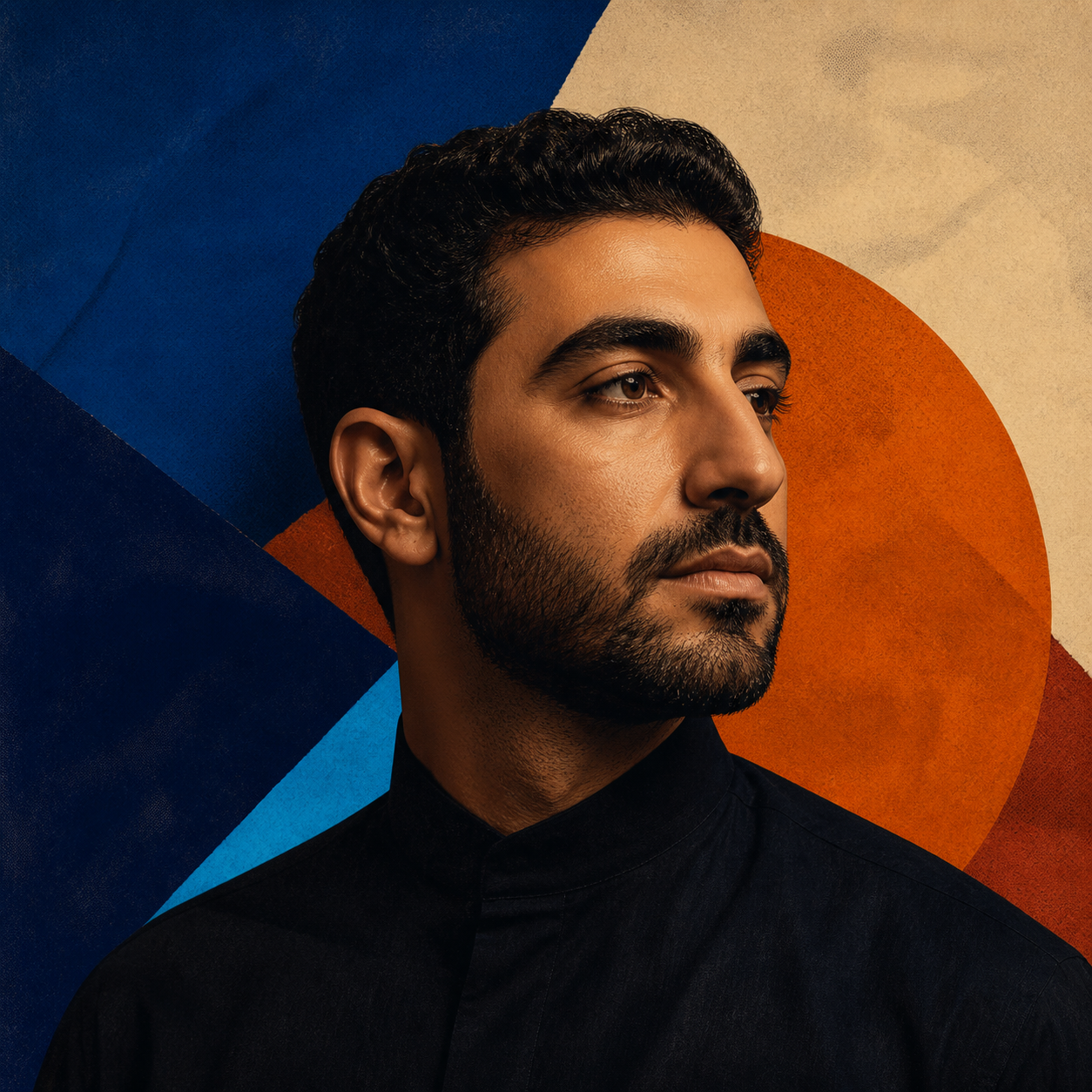
The face is a real photograph collaged over flat paper and halftone shapes, and those shapes pass behind the head rather than across it. That separation is what lets the mouth animate without dragging the graphics with it. Note that this source is square, unlike every other example in this set.
The song and the lyrics
The song we uploaded
For a cover animation the vocal needs to be identifiable within a second or two, because these clips end up used as three-second previews.
Lyrics
From a silent cover, I step into sound
Turn up the record, let the beat come around
The artwork is waking, the chorus begins
Press play and watch the whole story sing
The raw result
Watch the edges where the graphic shapes meet the head. Mouth movement should not make them shimmer.
Open the result on its own page
How to make an album cover sing
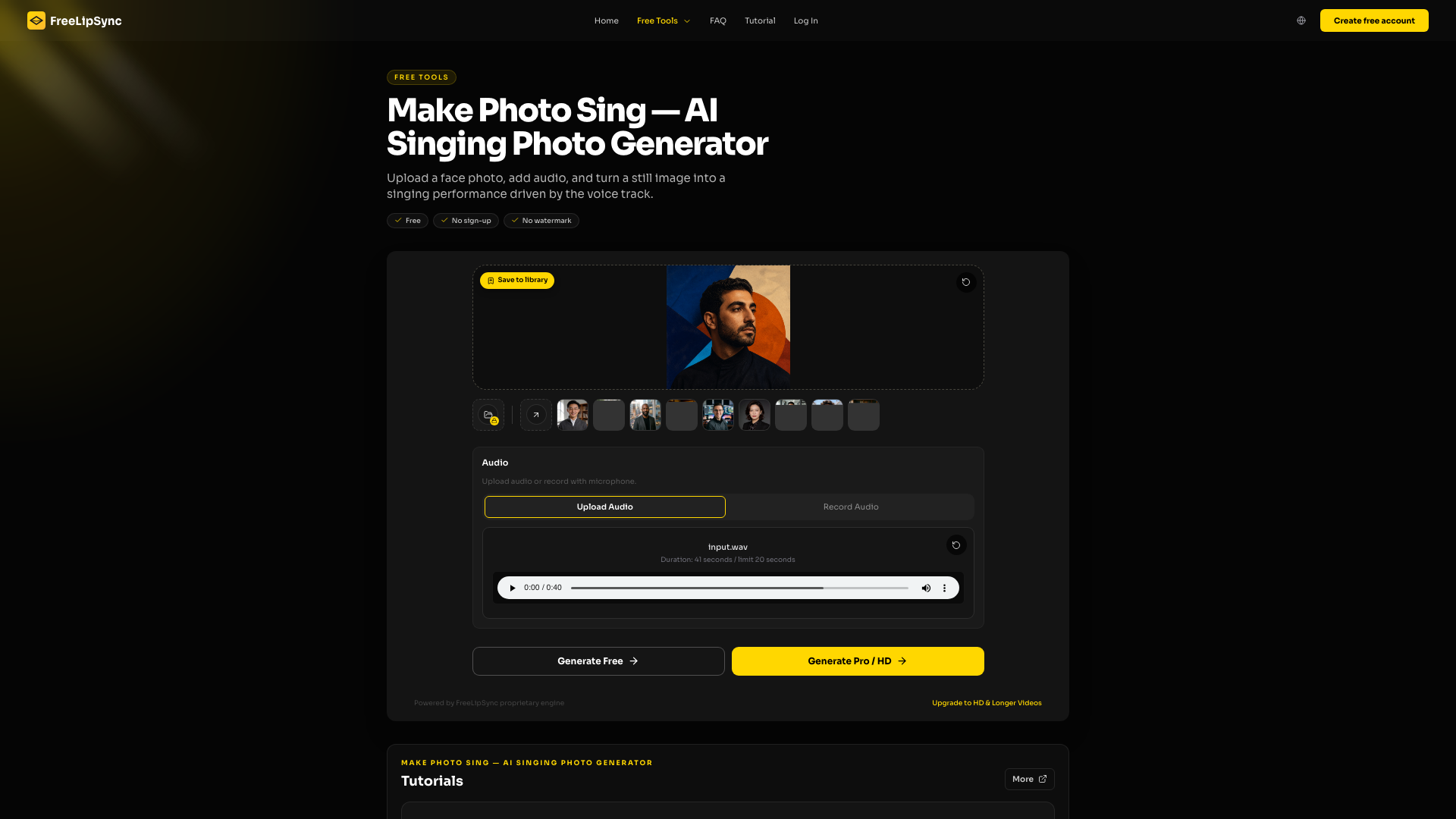
- Pick the artwork — One cover with a readable face and nothing crossing the mouth. A text-free version renders more cleanly than one with the title on it.
- Open Make Photo Sing — The tool page is already set to image plus audio with the singing model, so there is nothing to configure.
- Add the song — Use a section of your own track. Ten to twenty seconds with an audible lead vocal is enough for a first pass.
- Render once — Confirm the artwork and the audio, generate, and keep the file before you edit it.
- Check the layout — Play the whole clip and watch the graphics, not just the face. Shapes near the head should stay completely still.
What to check on cover art
Check the boundary between the face and the graphics around it. Mouth movement should leave the layout alone — if the shapes behind the head ripple, or the edges shimmer on held notes, the model is treating the design as part of the face. Any lettering on your own cover deserves the same check.
If it does not look right
- Graphics rippling near the head? Crop closer to the face, animate that, and re-composite it over the full cover afterwards.
- Lettering warping on your own artwork? Render from a text-free version of the cover and add the type back in editing.
- Face too small in a busy layout? Cover art is often composed wide; crop in before uploading.
What it costs
Testing is free: a 20-second generation uses no Pro Video, and a free sign-in unlocks a watermark-free download at reduced resolution. Beyond that you are charged per finished result rather than per second — one original-resolution video uses one Pro Video. Starter includes 20 Pro Videos every 30 days, an active Pro subscription is unlimited, and the one-off Creator Pack adds 5 Pro Videos that never expire.
See the plans and what each one costs
Questions people ask
Does the artwork have to be square?
No. The example here is square because covers are, but the tool takes any aspect ratio. Square just means the face is often smaller in frame, so crop in if it is.
What about the title and artist name on my cover?
Render from a text-free version if you have one and add the type back afterwards. Lettering next to an animated face is the most likely thing to warp.
Can I animate a cover I do not own?
Only if you own the rights or hold a licence covering this use. Cover art is protected by copyright and the face on it usually needs its own permission; the specifics vary by country and by where you post.
Is an illustrated cover harder than a photographic one?
Not necessarily, but a stylised face with no clear lip line gives the model less to work with. A drawn face with a clearly defined mouth is fine.
What are these clips actually for?
Short vertical posts, release-day announcements, and canvas-style loops on streaming platforms. They are previews, not music videos.
Animate your own cover
Upload your own cover art to Make Photo Sing, add a section of the track, and render one test before you post it.


